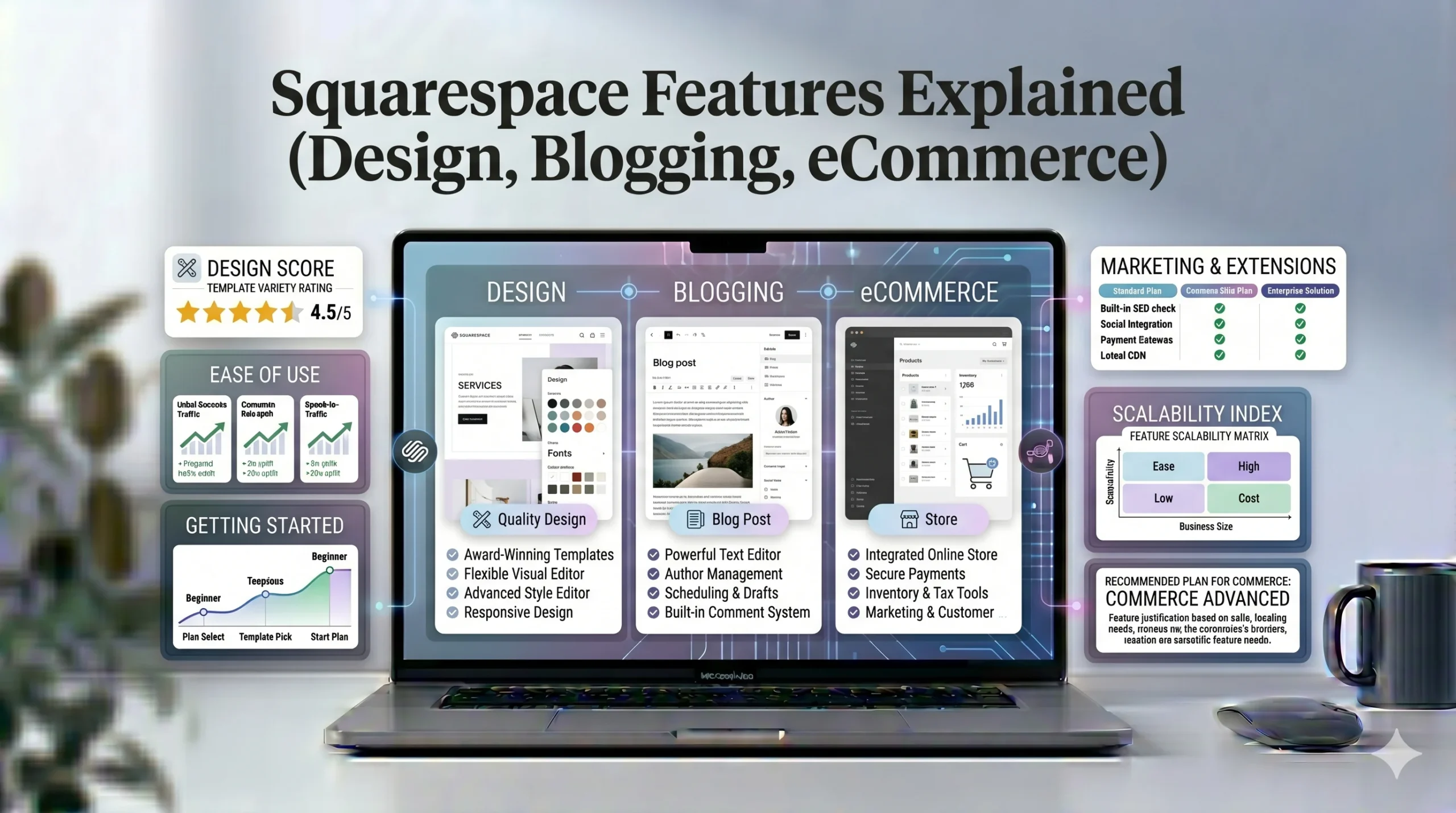
Squarespace Features Explained (Design, Blogging, eCommerce)
Choosing the right website builder involves more than simply selecting attractive templates. Modern website platforms must also support blogging, ecommerce, SEO, mobile responsiveness, and long-term website management.
Among the most recognized website builders, Squarespace has built a strong reputation for its polished templates and structured design system. The platform is commonly used by creatives, bloggers, freelancers, and small businesses that want professional-looking websites without coding knowledge.
However, many beginners still wonder:
- What exactly does Squarespace offer?
- Is it easy to use?
- Can it handle blogging and ecommerce effectively?
- How does it compare to Wix?
This guide explains Squarespace features in detail, focusing on design tools, blogging capabilities, ecommerce functionality, SEO features, and real-world use cases. The goal is to help readers understand whether Squarespace is the right website builder for their specific needs.
What Is Squarespace?
Squarespace is an all-in-one website builder that combines:
- Website hosting
- Templates
- Content management
- Ecommerce tools
- Blogging
- SEO features
- Analytics
Unlike traditional website development platforms, Squarespace allows users to build websites visually using a section-based editor.
The platform is especially known for:
- Modern design quality
- Clean layouts
- Strong typography
- Image-focused presentation
Squarespace Design Features Explained
Design is one of Squarespace’s strongest selling points.
Professional Template Quality
Squarespace templates are designed to maintain visual consistency and modern aesthetics.
Common Template Characteristics
Most templates emphasize:
- Large visuals
- Minimalist layouts
- Clean typography
- Balanced spacing
- Mobile responsiveness
Why Beginners Appreciate This
The structured design approach helps beginners avoid:
- Cluttered layouts
- Inconsistent spacing
- Overcomplicated page structures
This often leads to more professional-looking websites with less effort.
Section-Based Editing System
Unlike fully drag-and-drop builders, Squarespace uses a structured editor.
How It Works
Users create pages using:
- Pre-designed sections
- Content blocks
- Layout controls
Elements stay aligned within a grid system.
Benefits
This approach helps:
- Maintain responsive layouts
- Improve visual consistency
- Simplify mobile optimization
Limitation
Users wanting total creative freedom may feel restricted compared to platforms like Wix.
Customization Options
Squarespace still provides a good range of customization settings.
Users can edit:
- Fonts
- Colors
- Page sections
- Image galleries
- Navigation menus
- Buttons
- Backgrounds
Best Use Cases
Squarespace design tools work especially well for:
- Photography portfolios
- Creative agencies
- Personal brands
- Lifestyle blogs
- Design-focused businesses
Mobile Responsiveness
Mobile usability is essential for modern websites.
Squarespace templates are generally optimized automatically for:
- Smartphones
- Tablets
- Different screen sizes
Why This Matters
Responsive design affects:
- User experience
- SEO rankings
- Conversion rates
Beginners benefit because they often need fewer manual mobile adjustments compared to some other builders.
Squarespace Blogging Features Explained
Blogging remains important for:
- SEO
- Content marketing
- Audience growth
- Brand authority
Squarespace includes built-in blogging tools suitable for many small-to-medium websites.
Blog Management System
Users can:
- Publish articles
- Organize categories
- Add tags
- Schedule posts
- Manage comments
Content Organization
Categories and tags help:
- Improve navigation
- Structure content
- Support SEO
Blog Design and Layouts
Squarespace offers visually polished blog layouts.
Blog Features Include
- Featured images
- Grid layouts
- Summary blocks
- Social sharing
- Author profiles
Best Blogging Use Cases
Squarespace blogging performs well for:
- Personal blogs
- Creative publications
- Lifestyle websites
- Photography blogs
- Small business content marketing
SEO Features for Blogging
Blog posts can be optimized using:
- Meta titles
- Meta descriptions
- Custom URLs
- Alt text
- Heading structures
This helps improve search engine visibility.
Blogging Limitation
Compared to platforms like WordPress, Squarespace offers fewer advanced plugin and customization options for large-scale publishing operations.
Squarespace Ecommerce Features Explained
Squarespace also includes ecommerce functionality for users wanting to sell products online.
Online Store Setup
Users can create online stores directly inside Squarespace.
Supported Product Types
Squarespace supports:
- Physical products
- Digital downloads
- Services
- Subscription products
Ecommerce Features
Key ecommerce tools include:
- Product management
- Inventory tracking
- Discount codes
- Payment processing
- Shipping configuration
- Tax settings
Payment Options
Squarespace integrates with payment providers such as:
- Stripe
- PayPal
Ecommerce Design Quality
One area where Squarespace performs strongly is visual ecommerce presentation.
This is especially useful for:
- Fashion brands
- Handmade products
- Art stores
- Lifestyle brands
High-quality product imagery fits naturally into Squarespace templates.
Ecommerce Limitations
Although Squarespace works well for many small-to-medium stores, larger businesses may eventually need:
- More advanced inventory systems
- Enterprise-level ecommerce tools
- Complex integrations
Squarespace SEO Features
SEO tools are important for search visibility.
Squarespace includes several built-in SEO features.
Built-In SEO Settings
Squarespace supports:
- Meta title editing
- Meta descriptions
- SSL security
- Sitemap generation
- Mobile optimization
- Custom page URLs
Why This Matters
These features help websites:
- Rank on Google
- Improve usability
- Enhance indexing
SEO-Friendly Templates
Squarespace templates are generally:
- Mobile responsive
- Fast-loading
- Structured cleanly
This creates a strong SEO foundation for beginners.
SEO Limitations
Advanced SEO professionals may still prefer WordPress for:
- Larger plugin ecosystems
- Technical SEO customization
- Enterprise scalability
However, Squarespace SEO tools are sufficient for many small business and portfolio websites.
Squarespace Pros and Cons
Squarespace Pros
High-Quality Design Templates
Templates are visually polished and professional.
Beginner-Friendly Layout System
The structured editor helps users maintain clean designs.
Built-In Features
Hosting, security, blogging, and ecommerce are integrated into one platform.
Strong Mobile Optimization
Most templates adapt well to mobile devices automatically.
Good Blogging and Portfolio Support
Squarespace works especially well for content-driven and visual websites.
Squarespace Cons
Less Flexible Than Wix
Creative freedom is more limited compared to drag-and-drop builders.
Smaller App Ecosystem
Squarespace offers fewer third-party integrations.
No Permanent Free Plan
Unlike Wix, Squarespace mainly operates through paid plans after trial periods.
Advanced Ecommerce Limitations
Large-scale ecommerce businesses may eventually need more scalable solutions.
Squarespace vs Wix: Key Differences
Many users compare Squarespace vs Wix before choosing a website builder.
| Feature | Squarespace | Wix |
|---|---|---|
| Design Style | Structured & polished | Flexible & customizable |
| Editor | Section-based | Drag-and-drop |
| Templates | Smaller but refined | Large selection |
| App Marketplace | Smaller | Large ecosystem |
| Ease of Use | Easier for clean layouts | Easier for creative freedom |
| Ecommerce | Strong visual stores | Flexible ecommerce |
| Best For | Creatives & portfolios | Flexible business websites |
When Squarespace May Be Better
Squarespace may suit:
- Designers
- Photographers
- Minimalist brands
- Creative businesses
When Wix May Be Better
Wix may suit:
- Beginners wanting flexibility
- Highly customized layouts
- Users needing more app integrations
Real-World Use Cases for Squarespace
Portfolio Websites
Squarespace is widely used for:
- Photography portfolios
- Art galleries
- Creative agencies
Its visual presentation tools are particularly strong.
Small Business Websites
Local businesses can use Squarespace for:
- Service pages
- Contact forms
- Appointment bookings
- Blogging
Ecommerce Brands
Squarespace performs well for:
- Boutique fashion brands
- Handmade product stores
- Digital creators
- Lifestyle businesses
Actionable Tips for Beginners Using Squarespace
Choose a Template Based on Content Needs
Prioritize:
- Navigation structure
- Product layout
- Blog presentation
rather than only visual appearance.
Keep Design Minimal
Simple layouts usually improve:
- Readability
- Mobile usability
- Conversion rates
Optimize Images Properly
Large images can slow websites down.
Use:
- Compressed image files
- Proper dimensions
- Alt text for SEO
Focus on SEO Early
Before publishing:
- Add metadata
- Optimize headings
- Create clear URLs
- Connect Google Search Console
Who Should Use Squarespace?
Squarespace Is Best For
- Photographers
- Designers
- Bloggers
- Freelancers
- Small businesses
- Portfolio websites
Squarespace May Not Be Ideal For
- Users wanting full drag-and-drop freedom
- Highly technical developers
- Large enterprise ecommerce stores
Frequently Asked Questions
Is Squarespace beginner-friendly?
Yes. Squarespace is designed for beginners, especially users wanting professional layouts without coding.
Is Squarespace good for blogging?
Yes. Squarespace includes built-in blogging tools with SEO settings, categories, tags, and modern article layouts.
Can you build an online store with Squarespace?
Yes. Squarespace supports ecommerce features including product management, payments, and subscriptions.
Is Squarespace better than Wix?
It depends on your priorities. Squarespace focuses on polished design consistency, while Wix emphasizes customization flexibility.
Does Squarespace include SEO tools?
Yes. Squarespace includes metadata editing, mobile optimization, SSL security, and sitemap generation.
Final Verdict
Squarespace remains one of the strongest website builders for users who prioritize design quality, clean layouts, and integrated functionality. Its structured editing system, polished templates, blogging tools, ecommerce support, and built-in SEO features make it a practical choice for many beginners and creative professionals.
The platform performs particularly well for:
- Portfolio websites
- Creative businesses
- Bloggers
- Boutique ecommerce brands
- Small business websites
However, users wanting maximum customization freedom or advanced app ecosystems may still prefer Wix.
Ultimately, the best website builder depends on:
- Design preferences
- Website goals
- Technical experience
- Ecommerce needs
- Long-term scalability
For many beginners seeking a professional online presence without coding complexity, Squarespace provides a balanced combination of usability, design quality, and built-in tools.