Squarespace Pricing Plans Explained
Choosing the right website builder is not only about templates and design quality. Pricing also plays a major role, especially for beginners, freelancers, bloggers, and small businesses trying to balance budget with functionality.
Among modern website builders, Squarespace is widely known for its polished templates, structured editor, and all-in-one platform approach. However, many beginners find it difficult to understand which Squarespace pricing plan is actually worth paying for.
Questions often include:
- Which plan is best for beginners?
- Do you need a business or ecommerce plan?
- Is Squarespace more expensive than Wix?
- What features are included at each level?
- Are there hidden costs?
This guide explains Squarespace pricing plans in a practical and beginner-friendly way. We will explore what each plan includes, the strengths and limitations of different pricing tiers, real-world use cases, and how Squarespace compares with Wix from a pricing and value perspective.
The goal is to help readers make informed decisions based on actual website needs rather than marketing promises.
Understanding How Squarespace Pricing Works
Squarespace offers multiple pricing tiers designed for:
- Personal websites
- Blogs
- Portfolios
- Small businesses
- Ecommerce stores
Unlike some website builders, Squarespace generally includes:
- Hosting
- SSL security
- Templates
- Basic SEO tools
- Mobile responsiveness
inside all plans.
This simplifies website management because users do not need separate hosting services.
Does Squarespace Have a Free Plan?
One important difference between Squarespace and Wix is the availability of free plans.
Squarespace Free Trial
Squarespace typically offers:
- A free trial period
- Access to templates and editing tools
- Website testing before purchase
However, Squarespace does not provide a permanent free plan.
Comparison With Wix
Wix offers a permanent free plan, although it includes:
- Wix branding
- Limited functionality
- No custom domain
What This Means for Beginners
Users wanting to test a platform without long-term commitment may appreciate Wix’s free tier, while Squarespace focuses more on premium website experiences from the beginning.
Squarespace Pricing Plans Overview
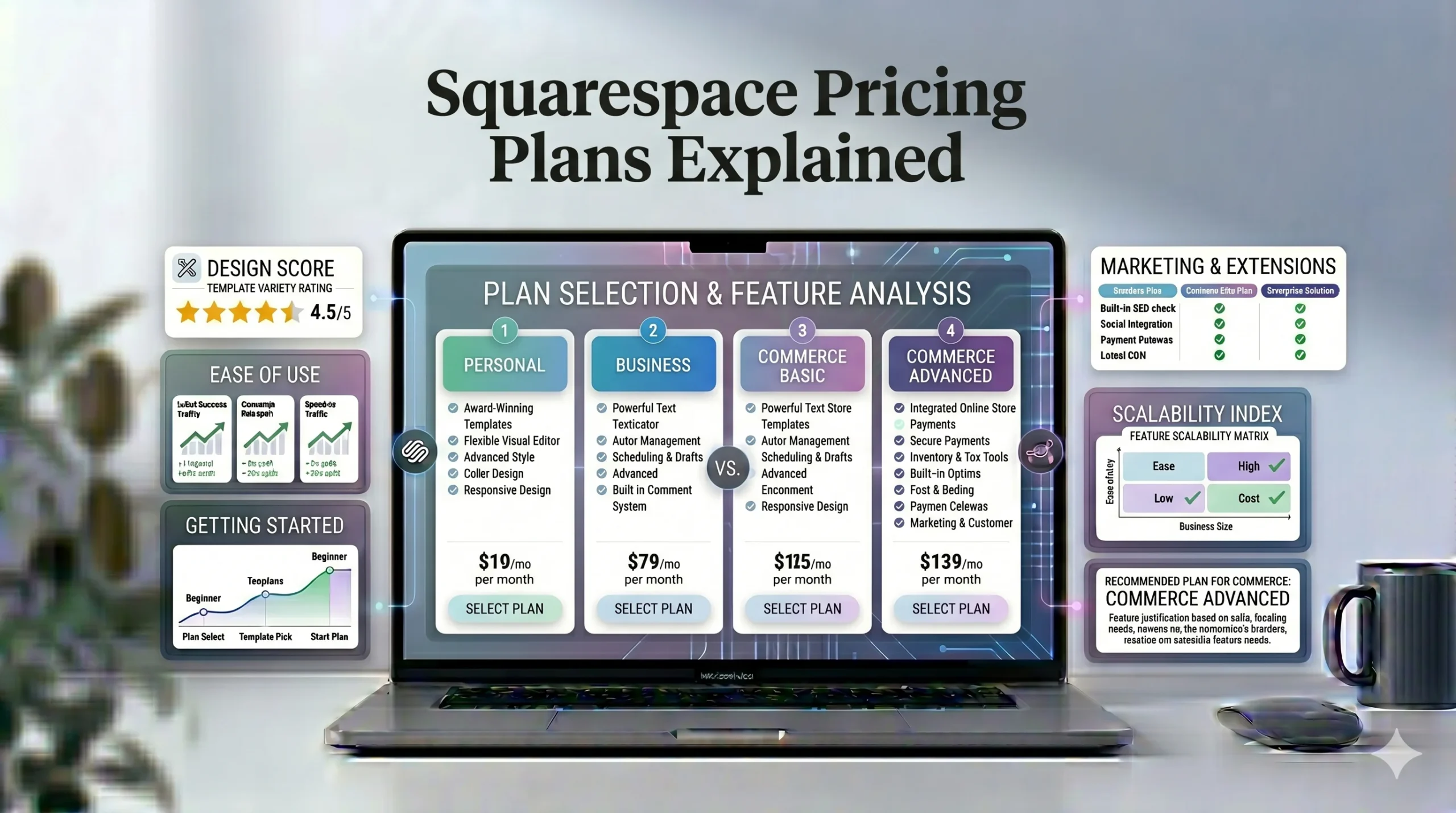
Squarespace pricing is usually divided into:
- Personal plan
- Business plan
- Commerce Basic plan
- Commerce Advanced plan
Pricing may vary depending on:
- Billing cycle
- Region
- Promotions
Annual billing often reduces monthly costs compared to month-to-month subscriptions.
Squarespace Personal Plan Explained
The Personal plan is Squarespace’s entry-level paid option.
Main Features
Typically includes:
- Custom domain support
- SSL security
- Mobile-responsive templates
- Basic SEO features
- Website analytics
- Blogging tools
Best For
The Personal plan works well for:
- Personal websites
- Portfolios
- Blogs
- Freelancers
- Resume websites
Advantages
Professional Design Quality
Even lower-tier Squarespace plans include high-quality templates.
Beginner-Friendly Setup
Users can create professional websites without coding.
Built-In Hosting and Security
Hosting and SSL are already included.
Limitations
No Advanced Ecommerce Features
The Personal plan is not designed for serious online stores.
Limited Business Tools
Marketing and advanced monetization options are restricted.
Real-World Example
A freelance photographer or writer wanting a clean online portfolio may find the Personal plan sufficient.
Squarespace Business Plan Explained
The Business plan is often the starting point for users wanting monetization and business tools.
Main Features
Typically includes:
- Ecommerce functionality
- Professional email integrations
- Promotional pop-ups
- Advanced analytics
- Custom code support
Best For
This plan is suitable for:
- Small businesses
- Consultants
- Service websites
- Small online stores
Advantages
Monetization Support
Users can:
- Sell products
- Accept payments
- Use business integrations
Better Marketing Features
The Business plan includes more promotional tools.
Flexibility for Growth
This plan supports moderate website expansion.
Limitations
Transaction Fees
Squarespace may charge transaction fees on some lower ecommerce-enabled plans.
Ecommerce Still Limited for Large Stores
Larger businesses may eventually require more advanced ecommerce capabilities.
Practical Example
A local clothing brand or fitness coach offering digital products may benefit from this plan.
Squarespace Commerce Basic Plan Explained
Commerce Basic targets growing ecommerce websites.
Main Features
Typically includes:
- Advanced ecommerce tools
- No additional transaction fees
- Customer accounts
- Inventory management
- Product merchandising
Best For
Ideal users include:
- Boutique online stores
- Product-based businesses
- Growing ecommerce brands
Advantages
Better Ecommerce Scalability
Commerce-focused tools improve store management.
Strong Visual Product Presentation
Squarespace templates work especially well for visual brands.
Integrated Checkout Experience
The shopping experience remains consistent with site design.
Limitations
Higher Pricing
Costs increase significantly compared to basic website plans.
Less Advanced Than Dedicated Ecommerce Platforms
Large-scale ecommerce operations may eventually outgrow Squarespace.
Real-World Example
A handmade jewelry store or design-focused fashion brand could operate effectively on this plan.
Squarespace Commerce Advanced Plan Explained
Commerce Advanced is Squarespace’s highest ecommerce-focused tier.
Main Features
Usually includes:
- Advanced discounts
- Subscription selling
- Commerce APIs
- Advanced shipping options
- Advanced analytics
Best For
Suitable for:
- Growing ecommerce brands
- Membership businesses
- Higher-volume online stores
Advantages
Advanced Sales Features
Useful for stores with:
- Recurring subscriptions
- Complex promotions
- Higher sales volume
Improved Business Flexibility
Advanced tools help automate operations.
Limitations
Expensive for Beginners
Most small websites do not initially need this level of functionality.
Enterprise Limitations Still Exist
Very large ecommerce operations may prefer platforms like Shopify.
Squarespace Pricing Plans Comparison Table
| Plan | Best For | Ecommerce Support | SEO Features | Advanced Business Tools |
|---|---|---|---|---|
| Personal | Portfolios & blogs | Limited | Yes | Limited |
| Business | Small businesses | Basic | Yes | Moderate |
| Commerce Basic | Growing stores | Strong | Yes | Strong |
| Commerce Advanced | Advanced ecommerce | Advanced | Yes | Advanced |
Hidden Costs Beginners Should Know About
Subscription pricing is not the only expense when building a website.
Domain Renewal Fees
Squarespace may include a free domain for the first year on annual plans.
Renewal fees usually apply afterward.
Professional Email Services
Custom email hosting often requires:
- Google Workspace integration
- Additional monthly fees
Third-Party Tools
Some businesses may eventually pay for:
- Marketing software
- Scheduling systems
- Advanced analytics tools
Squarespace SEO Value
Pricing should also be evaluated based on included SEO features.
Built-In SEO Features
Squarespace includes:
- Custom metadata
- Mobile optimization
- SSL security
- Sitemap generation
- Clean URL structures
Why This Matters
These features help:
- Improve search visibility
- Support indexing
- Enhance user experience
Blogging for SEO
Squarespace blogging tools help users:
- Publish content
- Target keywords
- Build topical authority
- Increase organic traffic
For many beginners, built-in blogging support adds long-term SEO value.
Squarespace vs Wix Pricing Comparison
Many users compare Squarespace vs Wix before choosing a website builder.
| Feature | Squarespace | Wix |
|---|---|---|
| Free Plan | No permanent free plan | Yes |
| Template Style | Structured & polished | Flexible & customizable |
| Editor | Section-based | Drag-and-drop |
| Ecommerce Entry Cost | Moderate | Moderate |
| App Marketplace | Smaller | Larger |
| Best For | Clean professional sites | Flexible customization |
When Squarespace May Offer Better Value
Squarespace may offer better value for:
- Designers
- Portfolio websites
- Minimalist brands
- Visual ecommerce stores
When Wix May Offer Better Value
Wix may suit:
- Beginners wanting flexibility
- Users needing extensive app integrations
- Highly customized websites
Which Squarespace Plan Is Worth It?
The best plan depends entirely on website goals.
Best Plan for Beginners
Recommended: Personal Plan
Good for:
- Blogs
- Portfolios
- Resume websites
- Small informational sites
Best Plan for Small Businesses
Recommended: Business Plan
Good for:
- Service businesses
- Consultants
- Basic ecommerce
- Monetized websites
This plan often provides the best balance between pricing and functionality.
Best Plan for Ecommerce Stores
Recommended: Commerce Basic
Good for:
- Boutique brands
- Online product sales
- Design-focused ecommerce
Best Plan for Advanced Ecommerce
Recommended: Commerce Advanced
Good for:
- Subscription businesses
- Growing online stores
- Higher sales volume operations
Actionable Tips Before Choosing a Squarespace Plan
Start With Long-Term Website Goals
Consider:
- Will you sell products?
- Do you need blogging?
- Do you need memberships?
- How much traffic do you expect?
Avoid Overpaying Early
Many beginners purchase advanced ecommerce plans unnecessarily.
Start smaller and upgrade later if needed.
Compare Design Needs Carefully
If structured professional design matters most, Squarespace performs strongly.
If maximum layout flexibility matters more, Wix may be more suitable.
Budget Beyond Subscription Costs
Remember to account for:
- Domain renewals
- Email hosting
- Marketing tools
- Third-party services
Who Should Use Squarespace?
Squarespace Is Best For
- Photographers
- Designers
- Bloggers
- Freelancers
- Portfolio websites
- Small ecommerce brands
Squarespace May Not Be Ideal For
- Users wanting full drag-and-drop freedom
- Highly technical developers
- Large enterprise ecommerce operations
Frequently Asked Questions
Does Squarespace have a free plan?
No. Squarespace offers free trials, but not a permanent free plan like Wix.
Which Squarespace plan is best for beginners?
The Personal plan is often enough for blogs, portfolios, and simple websites.
Is Squarespace good for ecommerce?
Yes. Squarespace supports ecommerce features including product sales, subscriptions, and inventory management.
Is Squarespace more expensive than Wix?
It depends on the features needed. Wix offers more pricing flexibility because of its free plan and wider range of tiers.
Can you upgrade Squarespace plans later?
Yes. Users can upgrade plans as their website or business grows.
Final Verdict
Squarespace offers a clean and structured pricing system that works particularly well for beginners, creatives, bloggers, and design-focused businesses. Its integrated hosting, professional templates, built-in SEO features, and ecommerce functionality provide strong overall value for users wanting simplicity and polished design.
For many users, the Business plan delivers the best balance between price and functionality because it introduces monetization features while remaining accessible for small businesses.
However, the right Squarespace plan ultimately depends on:
- Website goals
- Ecommerce needs
- Design priorities
- Budget
- Growth expectations
Users who prioritize creative flexibility and extensive app integrations may still prefer Wix, while those seeking clean professional design and structured editing often find Squarespace more suitable.
Instead of choosing the most expensive plan immediately, beginners should focus on their actual website requirements and scale gradually as their needs grow.